Blog · Workflow ·
Why I Built My Own Culling App
Photo Mechanic is fast because it never renders the raw. Snelkeus does the same, and only the few things a concert photographer needs after a show.
After a show I have two full cards from two Canon EOS R5 Mark II bodies, and a delivery that is often due the same night or the next morning. Before I edit a single frame, three things have to happen: pick the keepers, put captions and credits in, and give the files names an editor can find.
That part of the night has a speed limit, and your software sets it.
The speed limit is the preview
Lightroom is built to develop raw files, and it's very good at that. But developing a raw takes time, and culling doesn't need it. To decide whether a frame is a keeper you need to see the moment, the expression and the focus. You don't need your final color.
Photo Mechanic understood that a long time ago. It doesn't develop the raw at all: it shows the JPEG the camera already embedded in the file. That's why it feels instant. I wrote a separate piece on how those embedded previews work.
So why not just use Photo Mechanic?
Photo Mechanic is a great program and a big toolbox. I use a handful of its tools, the same ones every time: ingest, tag, caption, rename, copy. So I built an app that does exactly those, on the keys I already know, and nothing else.
What Snelkeus does
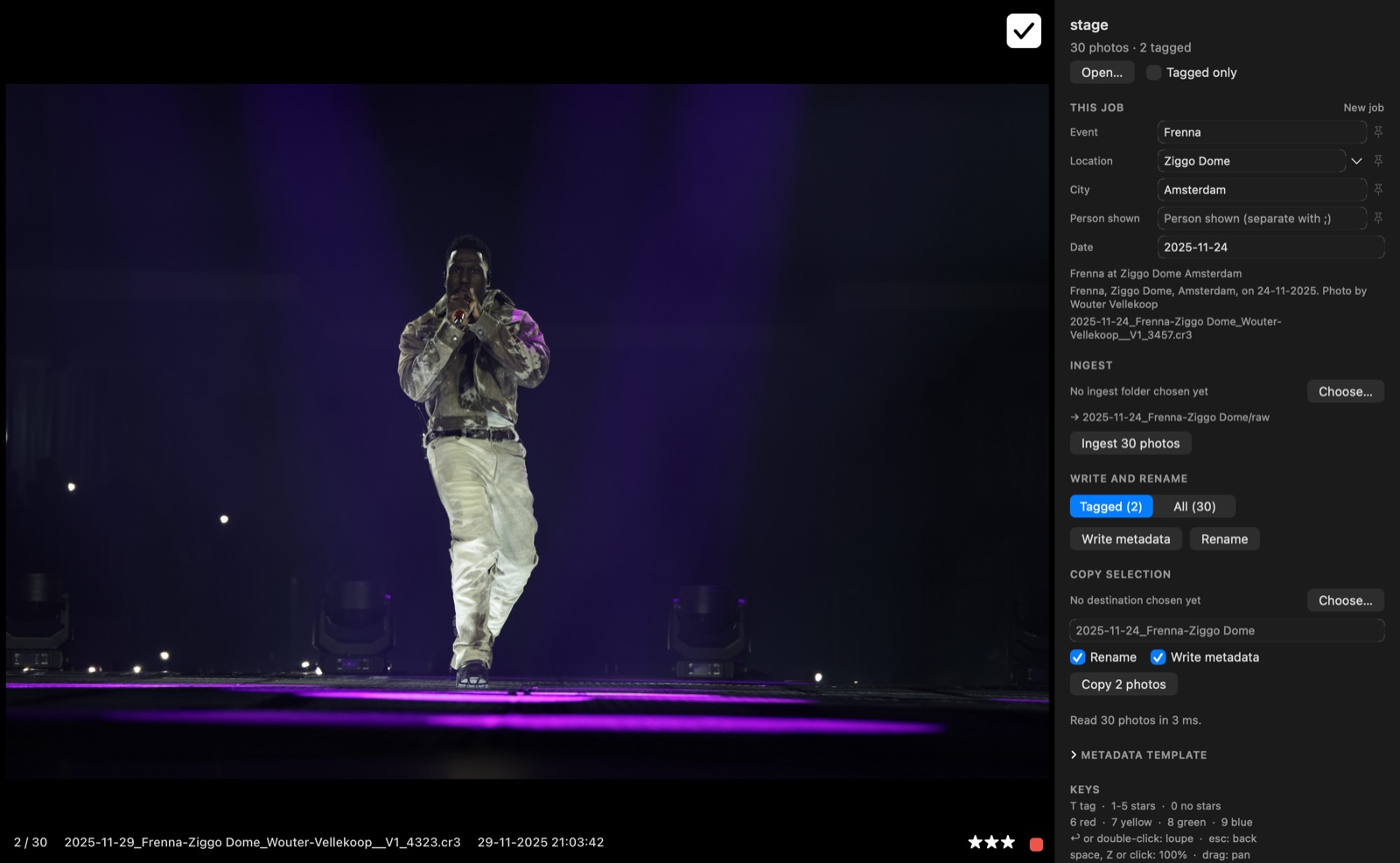
Snelkeus (Dutch for "quick pick") is a small Mac app without a catalog. You open a folder or drag your cards onto the window, and you start.
- Ingest. Both cards in, one job folder out. Everything is copied to
<job folder>/raw, named from the job's metadata, and you can cull while it copies. More in my ingest workflow. - Cull.
Ttags,1-5set stars,6-9set colour labels. Return opens the loupe; space,Zor a click shows 100% right where you click.⌘Tshows only the tagged photos. - Caption. An open IPTC pad: event, location, headline, caption, keywords, credit, copyright and more. Every field can use tokens like
{event}and{date}, so you fill in the job once. More in IPTC metadata for concert photos. - Rename and copy. File names from a template, with undo. Or copy your selection to an archive folder, with new names and the metadata in place.
How fast is fast?
Measured on a Mac mini M4 Pro with real concert files, approximately:
- a photo at screen size: 35-50 ms
- a 100% focus check: about 85 ms
- a grid thumbnail: 3-6 ms
It also loads ahead in the direction you browse. In tests at 4 and 8 photos a second, every frame was already sharp when it appeared. At 15 a second, 31 of 33 were, and the other two waited at most 34 ms. Hold an arrow key down, about 25 photos a second, and you see a soft thumbnail for about 26 ms before the sharp one lands.
Deciding on a frame takes you a moment. The software shouldn't take longer than you do.
What it leaves out
No catalog, no editing, no export presets, no subscription. It doesn't develop raws, so the colors you see are the camera's, not your edit. For everything after the cull there's Lightroom, and Lightroom Classic picks up the stars, colour labels and IPTC fields when you import. It doesn't read the tag itself, so give your keepers a star, or copy them to their own folder, before you import.
Snelkeus writes only XMP: a sidecar next to a raw, inside the file for JPG, DNG and HEIC. It never modifies a raw, never overwrites a file and never deletes anything.
Try it
Snelkeus is free and open source (MIT), for macOS 14 or later on Apple Silicon and Intel. Canon CR3 gets the fast path; other raw formats work through macOS, using the embedded previews where the camera provides them. Download it here, or read the code on GitHub.
It's new. If it's missing the one thing you need, open an issue.